Products — Workflow Builder

End-to-end AI automation workflows — in one place

Redbird's Workflow Builder lets you assemble powerful automation workflows from modular AI apps — connecting data collection, transformation, analysis, reporting, and action steps into a single transparent pipeline. Everything your team needs to automate complex work, without stitching together multiple tools.

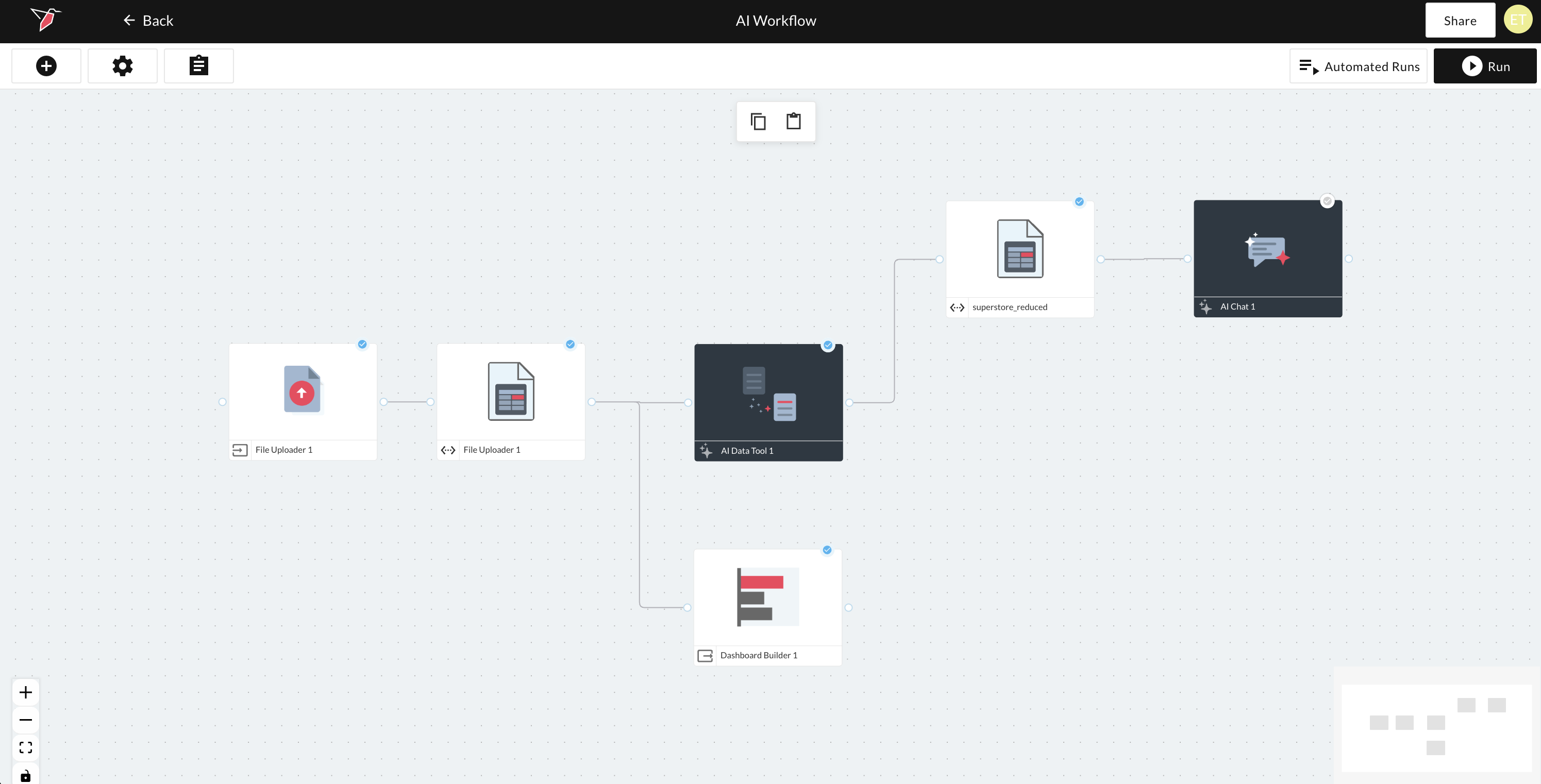
Workflow Builder canvas showing a complete end-to-end workflow

Powerful automation, assembled from modular apps

The Workflow Builder is a visual canvas where you assemble end-to-end automation workflows from purpose-built apps. Each node in a workflow represents a discrete step — collecting data, transforming it, analyzing it, generating a report, triggering an action, or routing execution based on AI or human decisions. Redbird manages orchestration across all nodes, standardizing inputs and outputs so every step works seamlessly with the next.

Point-and-click canvas

Drag, connect, and configure nodes to easily build workflows of any complexity — from a simple two-step pipeline to a multi-branch enterprise process.

Every capability in one place

AI Data Tool, AI Report Builder, AI Chat, connectors, orchestration triggers, and checkpoints all live on the same canvas — no tool-switching or engineering required.

AI-managed orchestration

Redbird standardizes inputs and outputs across every step in the workflow, so steps hand off to each other seamlessly without manual wiring.

Full transparency

Every step, every connection, and every run is visible and inspectable — no hidden logic, no black boxes.

Detailed run logs

Every workflow execution generates a full log of what ran, when, what each step produced, and any issues encountered — so nothing runs in the dark.

Workflow builder canvas overview

Every capability your workflow needs — as apps configured through natural language

The Workflow Builder consolidates capabilities that typically live across multiple software tools into a single integrated interface. Build the entire workflow — from raw data to finished output and delivery — without leaving the canvas.

AI Data Tool

Collect, transform, and analyze data through natural language prompts

AI Report Builder

Generate branded reports, dashboards, and presentations from workflow outputs

AI Chat

Publish a natural language interface over workflow data for stakeholder exploration

Orchestration Triggers

Start workflows based on schedules, webhook signals, or upstream workflow completions

Human checkpoints

Pause execution and require human approval or review before proceeding

AI checkpoints

Let Redbird AI dynamically assess workflow state and route execution based on logical evaluation

Connectors

Pull data from or push data to any connected system as a workflow step

Workflow builder run modes

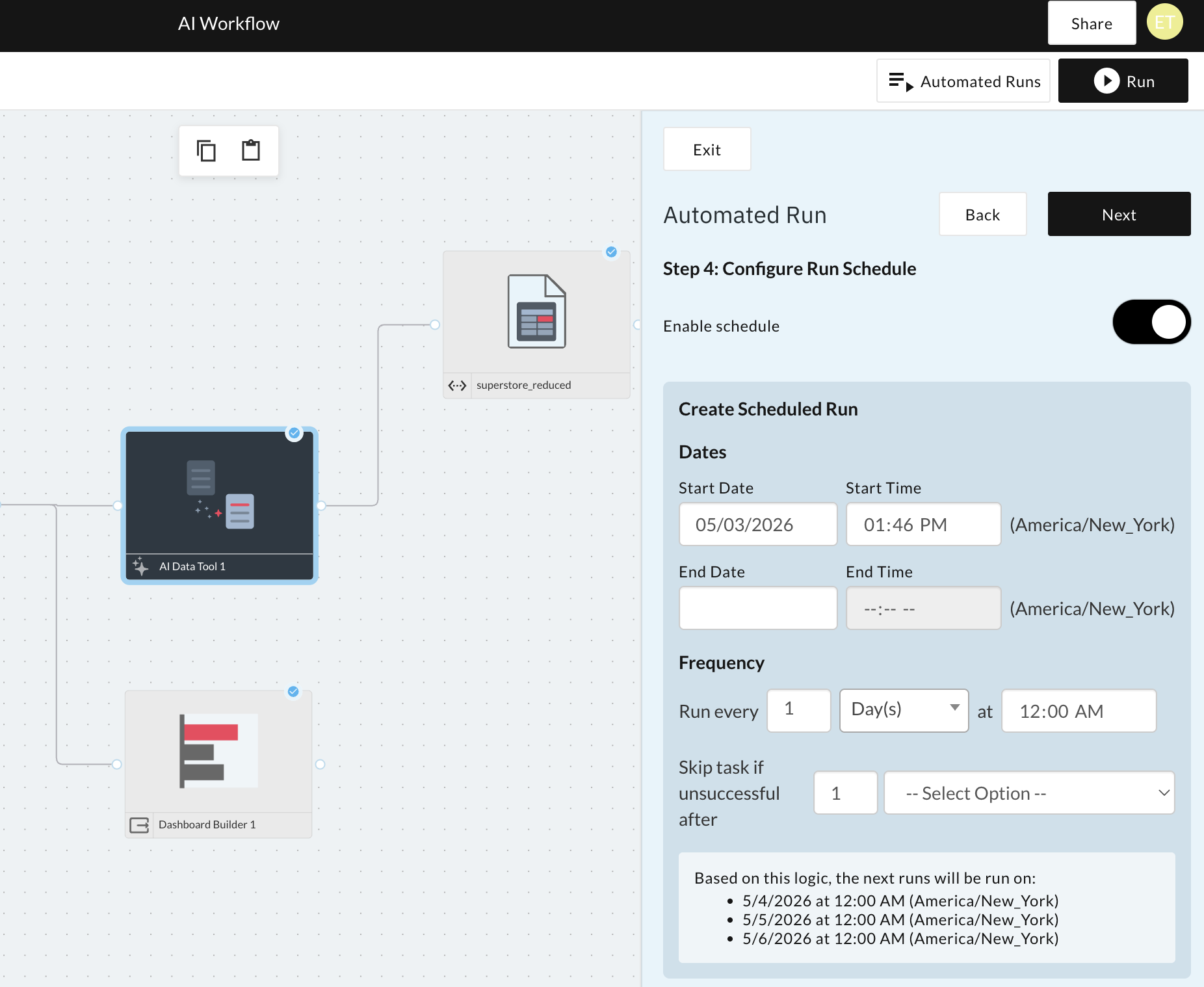
Run workflows your way — on demand, on a schedule, or off of orchestration triggers

Every workflow in Redbird can be executed in three modes, giving teams the flexibility to automate exactly the right thing at exactly the right time.

Ad hoc

Run on demand

  • Click a run button to execute immediately
  • Useful for one-off analyses, testing, and on-demand reporting
Scheduled

Run automatically

  • Set robust scheduling logic — daily, weekly, monthly, or custom logic
  • Workflows execute automatically and deliver outputs without human intervention
Triggered

Run on signals

  • Run when another Redbird workflow completes
  • Run when an AI agent sends a signal based on detected conditions
  • Run when an external application sends a webhook to Redbird

Workflows that self-repair — and teams that work together on them

Redbird workflows are built to stay running even as the world around them changes. AI agents monitor execution health and automatically repair broken steps when data schemas, APIs, or upstream systems change. And when workflows need human input, Redbird routes it to the right person at the right time.

  • Self-healing agents — When a workflow step breaks, Redbird's AI agents detect the failure, diagnose the cause, and repair the step automatically — or flag it clearly when human intervention is needed
  • Dynamic flow routing — AI checkpoint nodes assess workflow state at runtime and dynamically determine how to route execution — handling branching logic without hardcoded rules
  • Detailed run logs — Every execution produces a full log: which steps ran, what they produced, how long each took, and what (if anything) failed or was repaired
  • Collaboration — Share workflows with teammates, assign ownership, and manage permissions so the right people can build, run, and review the right workflows
  • Easy sharing — Publish finished workflows to colleagues who can run them without editing access — making automation accessible to the whole team, not just builders
RUN LOG AI Workflow Demo · Run #47 Step 1: Connectors Salesforce · 1,204 records pulled · 1.2s Step 2: AI Data Tool Transformation complete · 0.8s ! Step 3: AI Data Tool Schema change detected Auto-repaired · Resumed Step 4: AI Report Builder Report generated · 2.1s Total run time: 4.1s · 1 auto-repair event SHARE WORKFLOW AI Workflow Demo AJ Alex Johnson alex@company.com Owner MS Maria Santos maria@company.com Editor TK Tom Kim tom@company.com Viewer PL Priya Lal priya@company.com Run-only + Invite team member

The canvas that connects everything Redbird can do

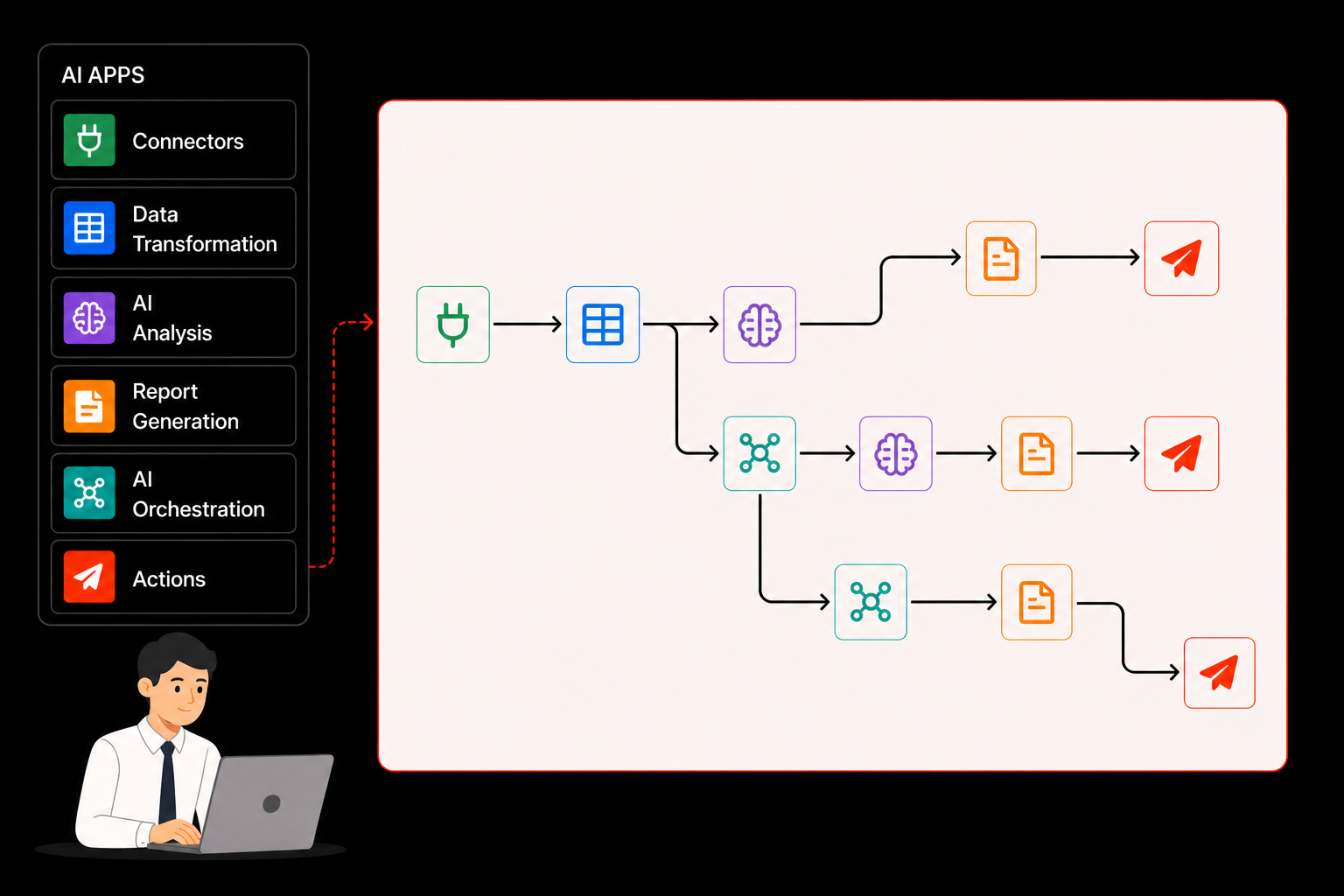
The Workflow Builder is the unifying layer of the Redbird platform. Every connector, every AI agent capability, every output format, and every delivery destination is accessible. Build once, run anywhere — on demand, on a schedule, or in response to any signal.

Workflow Builder Connectors APIs, RPA, warehouses Salesforce · Snowflake · REST · RPA AI Data Tool Transform & analyze Natural language · SQL · enrichment Flow Control Triggers & checkpoints Schedule · Webhook · AI checkpoint AI Report Builder Reports & dashboards PowerPoint · PDF · live dashboard AI Chat Natural language interface Ask questions · explore data live Outputs Deliver anywhere Email · Slack · cloud storage · DW

Build your first end-to-end workflow today

Stop struggling through manual efforts across multiple tools to deliver your work. Build, run, and rerun the whole thing — in one place.