Products — AI Chat

Custom AI chat environments — configured for your team, powered by live end-to-end workflows

Redbird AI Chat lets you rapidly configure scoped AI chat environments tied to your Redbird workflows and data — then share them with any team or stakeholder. Data updates automatically on your workflow cadence. Users just ask questions.

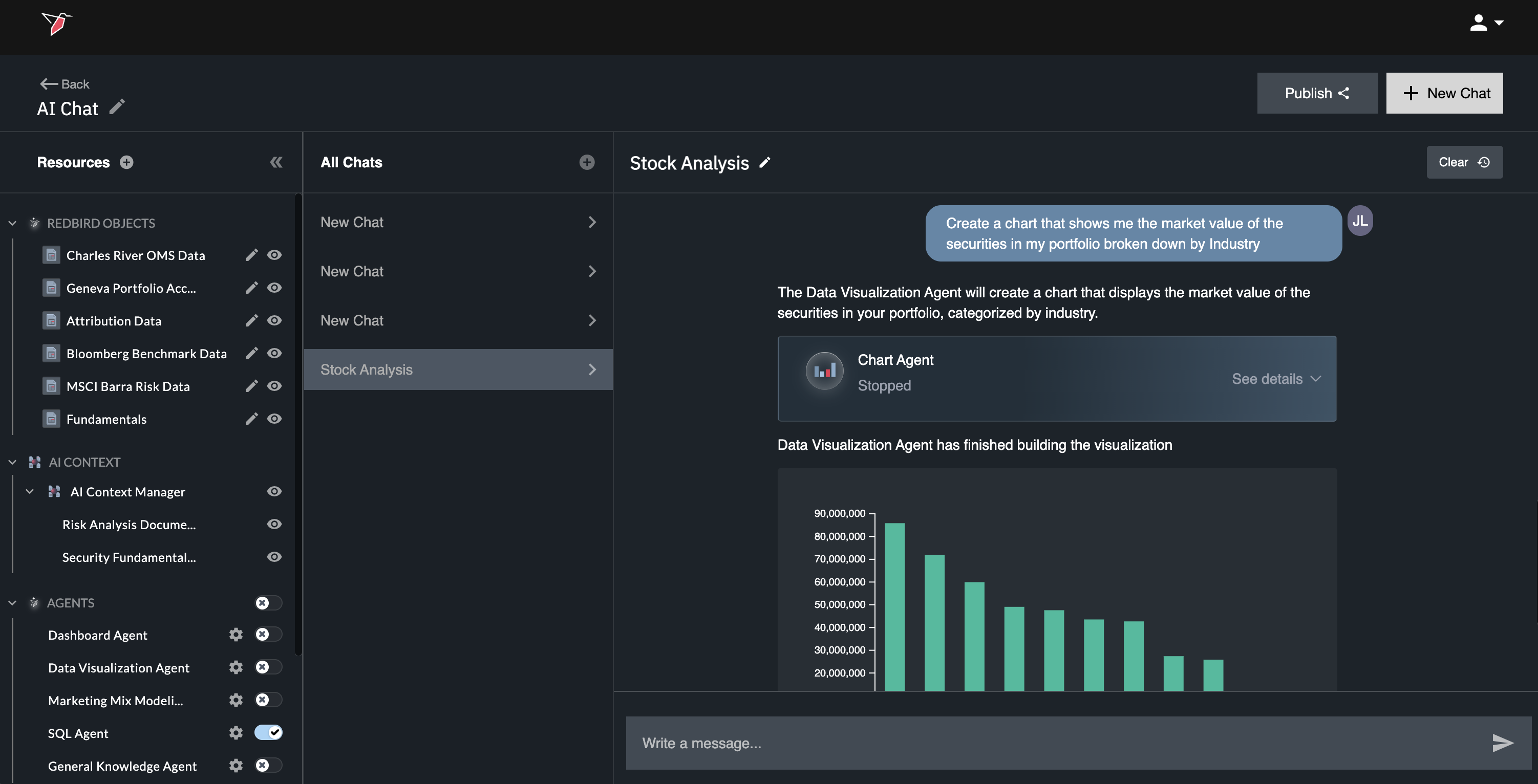
AI Chat environment configuration and chat interface

Configure once. Share with anyone. Always current.

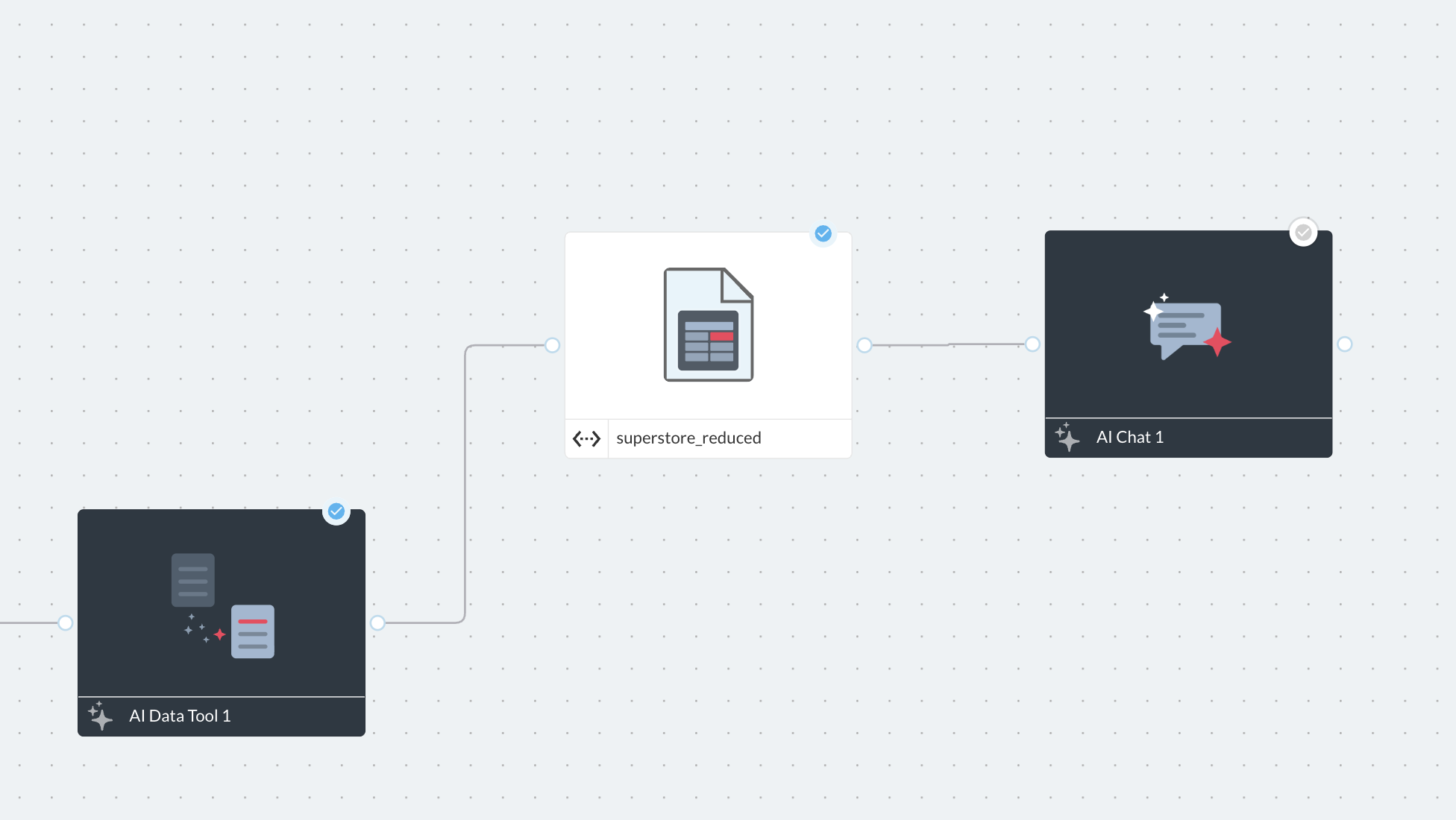
Redbird AI Chat isn't a generic chatbot pointed at your data — it's a configurable environment you set up with intention. Tie it to specific Redbird workflows that handle multi-step automated connections into source systems, data prep, and analysis as the upstream feed into the AI chat. Scope the chat to the data and context in the workflow that's relevant, and share it with the right team or stakeholder. Because it's tied to a live workflow, the data it draws from refreshes automatically on your schedule — so the people using it always get answers based on current information, without anyone manually updating anything.

Tied to live, automated workflows

Each AI Chat environment is connected to a specific Redbird workflow. When the workflow runs, the data and transformations the chat draws from update automatically.

Scoped by design

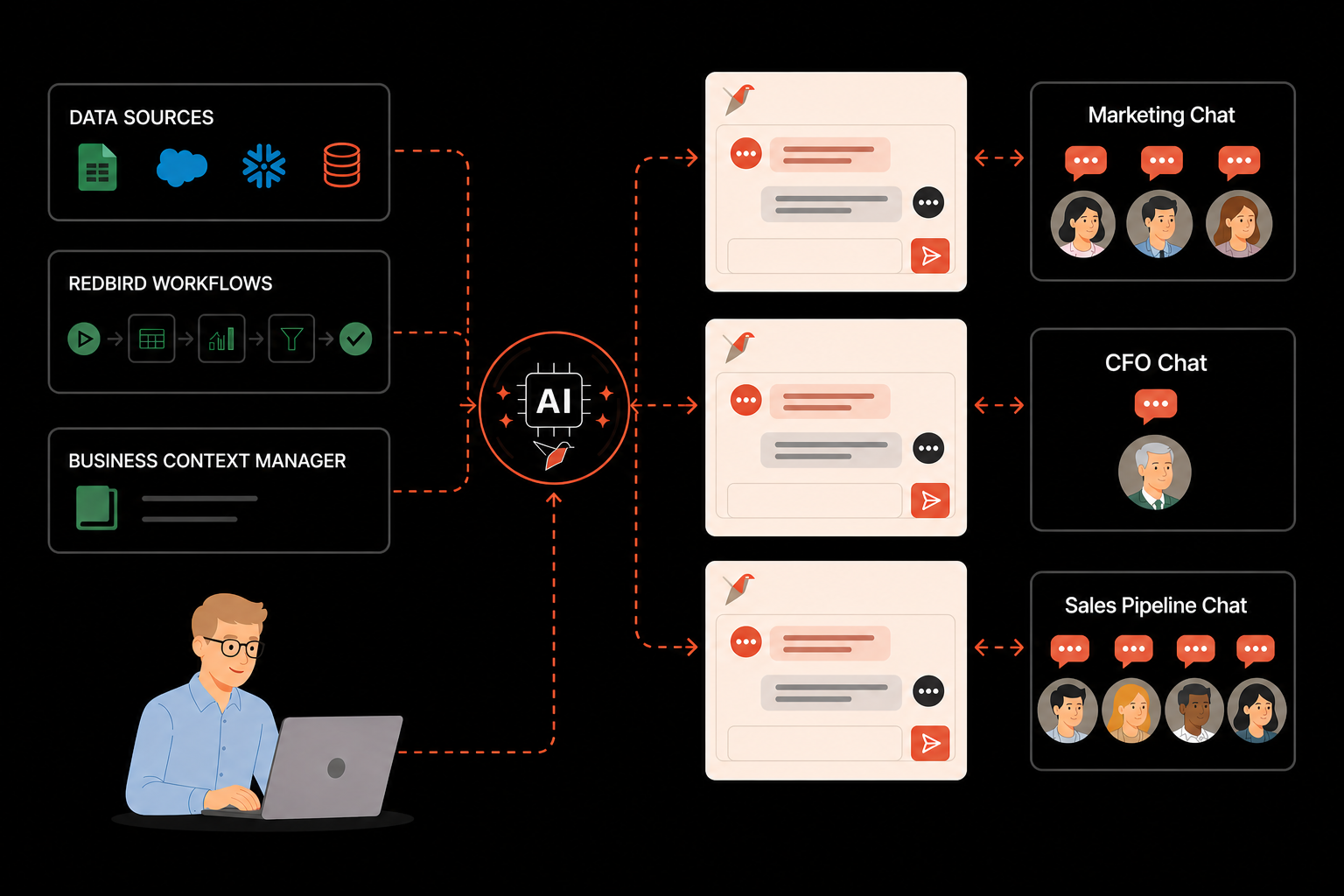
Configure each environment to only access the data and workflows relevant to its audience — Marketing sees marketing data, Finance sees financial information, Sales sees the sales pipeline only.

Shareable with any team

Publish a configured AI Chat environment to specific users, teams, or stakeholders — they get a clean conversational interface with no configuration required on their end.

Natural language interaction

Users ask questions in plain language and get back structured answers — tables, charts, summaries — grounded in the workflow data the environment is connected to.

Always fresh

No stale exports, no manual refreshes. Data updates on the workflow's schedule — daily, weekly, or triggered — so answers are always current.

How AI Chat works

Build a purpose-built chat environment for any team or use case

Every AI Chat environment in Redbird is configured for a specific purpose — a team, a workflow, a dataset, or a business question. You define what data it can access, what workflow drives it, and who can use it. The result is a focused, reliable chat experience that feels built for its audience — not a generic analytics tool they have to figure out.

  • Configure a new AI Chat environment in minutes — name it, connect a workflow, scope the data, share it
  • Environments update automatically when the connected workflow runs — no manual data refreshes
  • Builders control governance of the information that supplies the chat environment, freeing stakeholders from managing the upstream workflow
  • Scoped access means users only see what they're supposed to — no data governance concerns
  • Share via link or direct user invitation — recipients need no technical setup to start using it
Example use cases

AI Chat accuracy — Context Manager

Answers grounded in your data — and your business context

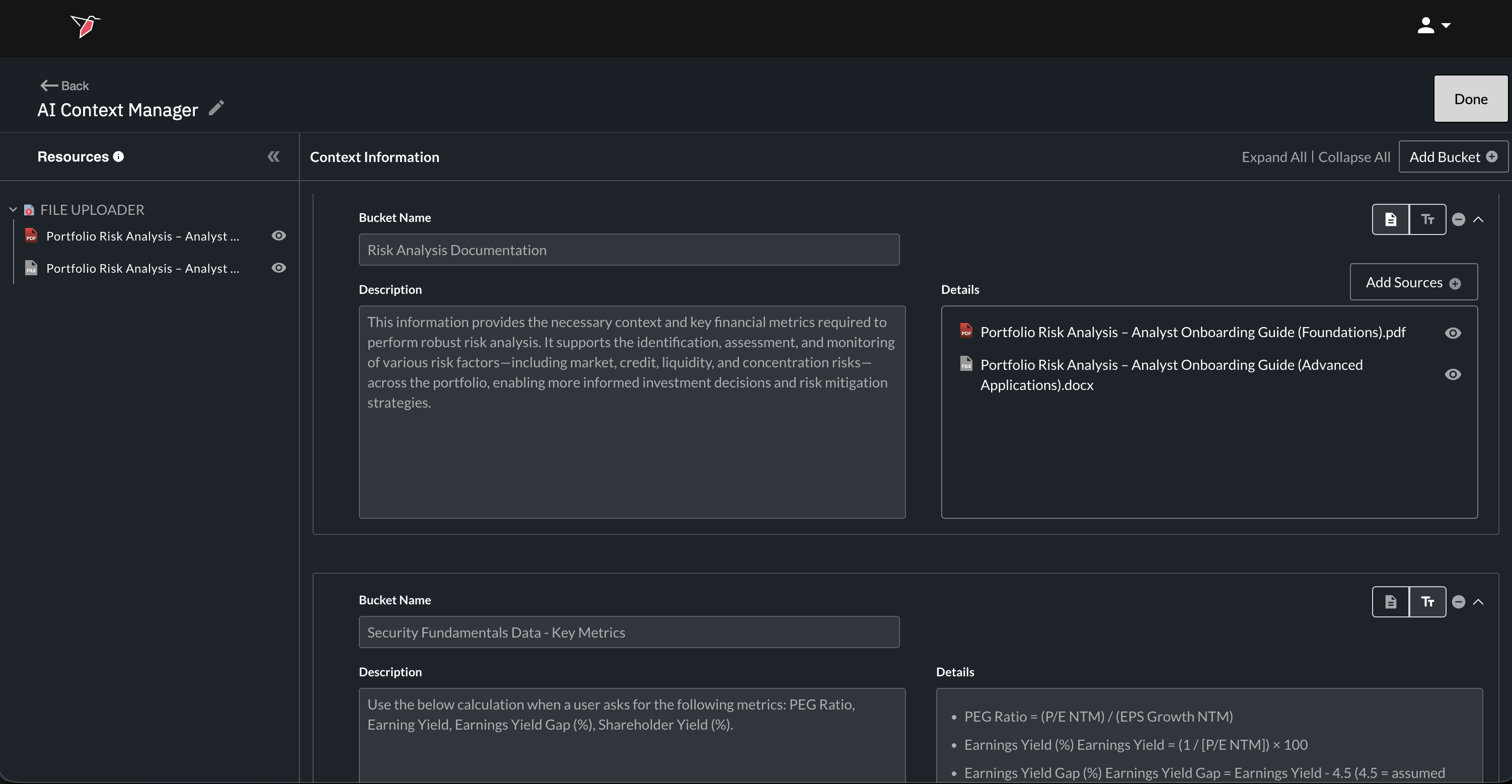
Accurate answers in a business chat environment require more than just connected data — they require context. What does "revenue" mean in your organization? How is a "qualified lead" defined on your sales team? What calculation logic drives your margin KPI? Redbird's AI Context Manager lets builders wire up live connections to business context from wherever it lives — and Redbird AI preps that context for use by agents inside each chat environment, so responses reflect how your organization actually thinks about its data.

Context Manager — connect context from anywhere

  • Team notes and documentation — Notion pages, internal wikis, process docs
  • Unstructured training materials — Google Drive folders, uploaded PDFs and Word docs
  • Data transformation logic — dbt models, transformation definitions, metric layers
  • Formulas and calculation logic — Excel spreadsheets on SharePoint, Google Sheets with business rules
  • Any other structured or unstructured source — wherever your business context lives

How it drives accuracy

  • Context is scanned and prepped by Redbird AI before being made available to agents in the chat environment
  • Agents apply your organization's definitions, calculation rules, and business logic consistently across every query
  • Every answer shows its source — what data was queried, what context informed the response, and what calculation was applied
  • No hallucination — Redbird tells you when data or context is missing rather than filling gaps with estimates

Workflows update automatically — so answers are always fresh

AI Chat environments don't require manual data refreshes or imports. Because each environment is tied to a Redbird workflow, the data it draws from updates every time that workflow runs — on a schedule, on a trigger, or on demand. Stakeholders always get answers based on current data without anyone having to do anything between runs.

  • Scheduled workflows — chat data refreshes daily, weekly, or on any cadence your workflow runs on
  • Trigger-based updates — chat data can update in response to upstream workflow completions or external signals
  • Automated data transformation — the chat environment always reflects data that has gone through the complex, multi-step data transformations applied within the end-to-end automated workflows
  • Full workflow audit trail — every data refresh is logged so you can see exactly when data was last updated and what changed
AI Chat — always current data

Powered by any Redbird workflow — connected to any data source

AI Chat environments can be connected to any Redbird workflow — which means they can draw from any source Redbird connects to: data warehouses, CRMs, cloud storage, APIs, unstructured documents, and more. Build the workflow that brings the right data together, applies multi-step data prep flows, then surface it through a chat environment your team can use instantly.

Salesforce
Snowflake
BigQuery
HubSpot
Google Sheets
Amazon S3
PostgreSQL
Notion
SharePoint
dbt
Google Drive
+ more

Give every team their own AI analyst — always working with current data

Configure a scoped AI Chat environment for any team, any workflow, any use case — in minutes. Connect it to live data, share it with the right people, and let Redbird handle the rest.