Products — AI Report Builder

Build polished reports — in minutes, not days

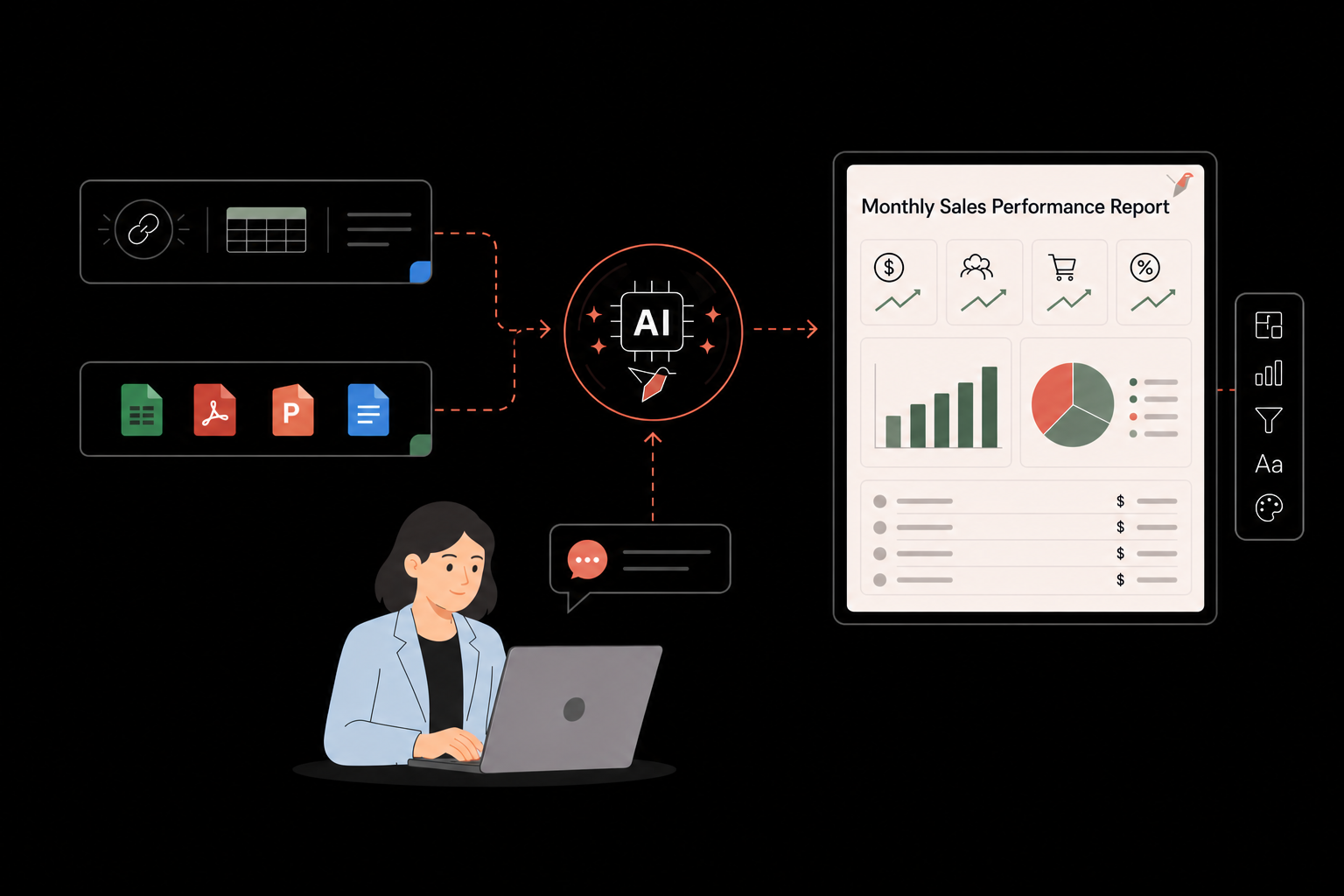
The Redbird AI Report Builder lets you design, customize, and manage the reports your team delivers through natural language conversation. Describe the report you want to build from scratch, use AI to rapidly import and build off of your existing reports, and perfect your outputs through a point-and-click interface. Redbird AI manages report connections to live data to enable workflow reruns that produce finished, branded outputs automatically.
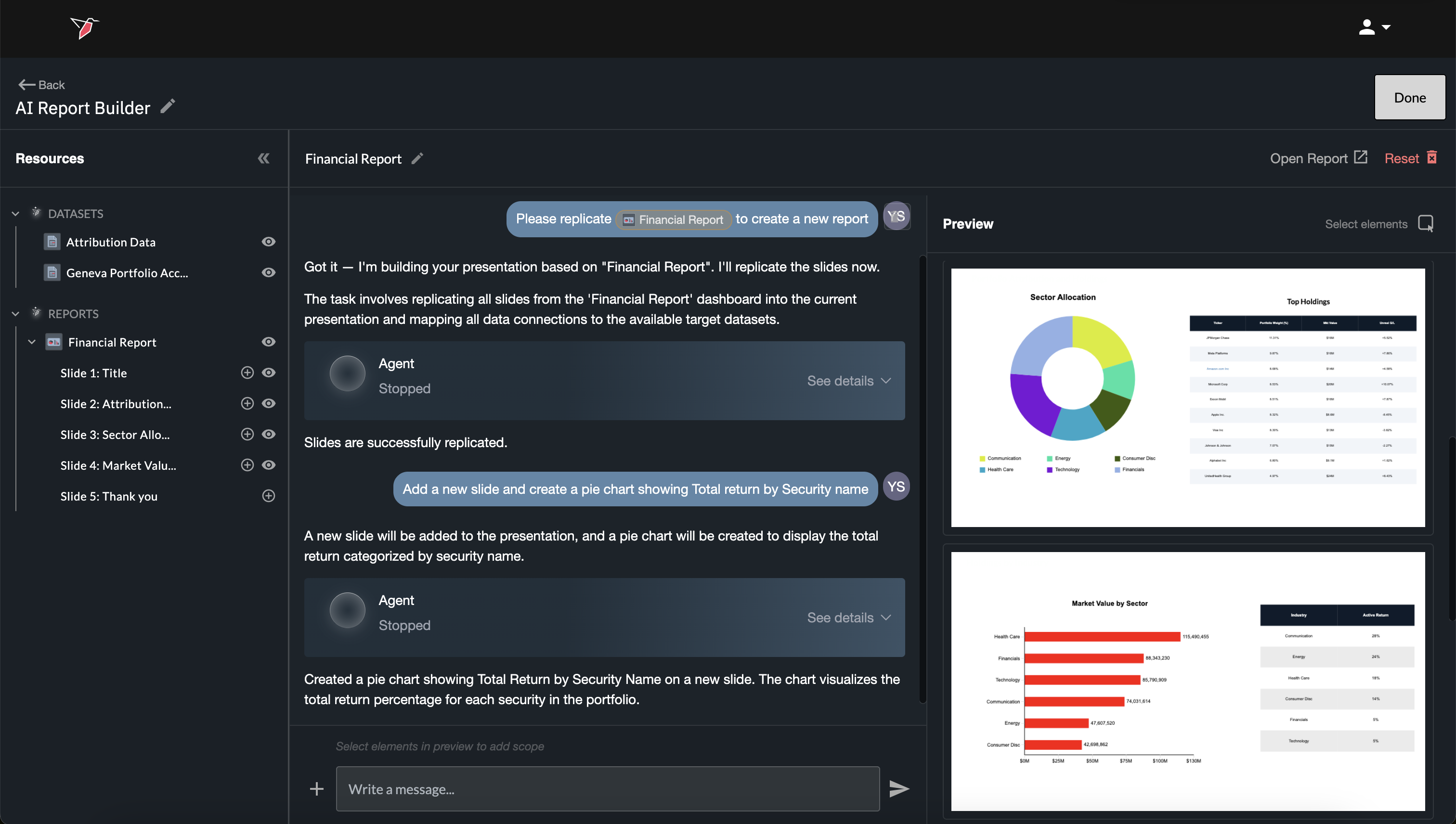
AI Report Builder interface showing a drag-and-drop canvas with a live data-connected report being built

Build reports connected to data prep workflows through conversation

The AI Report Builder is a dedicated AI workspace for designing and managing the reports your team produces. Whether you're building a weekly executive deck, a monthly channel performance spreadsheet, or a client-facing quarterly review, the Report Builder lets you define the layout, connect the data, and automate the production — so every run generates a finished deliverable with no manual work.

Conversational design

Describe the layout, charts, tables, and narrative structure you want — Redbird builds the output to match.

Import your existing reports

Upload your current PowerPoint, Word, or Excel templates and Redbird maps live data fields to your existing structure.

Connect to live data workflows

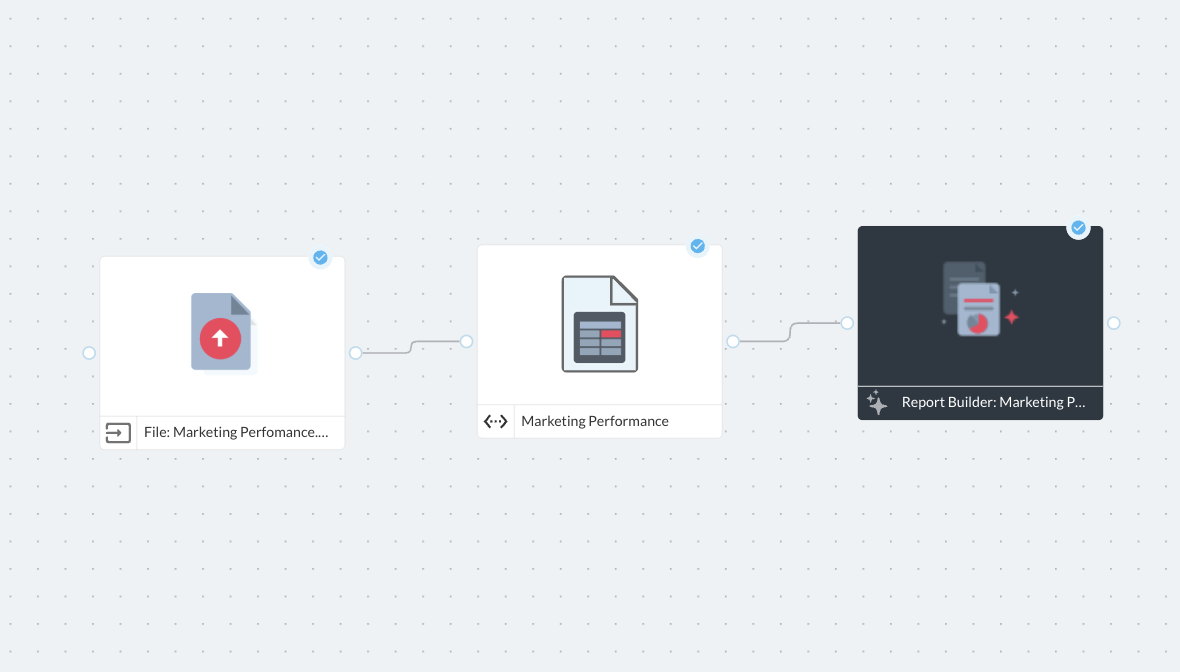
AI links each element of your report template to a live data workflow — so AI agents automatically rebuild the output on every workflow run.

Multi-format outputs

Generate PowerPoint, Word, Excel, email, and interactive web dashboard formats from a single interface.

Automated replication for different audiences

AI can automatically create different versions of the same report for different markets, business units, or customers — based on a centrally approved report blueprint.

Versioning and sharing

Save, manage, and share reports across your team so everyone is working from the same approved structure.

Three-step visual showing template design, data binding, and final rendered output

Build pixel-perfect reports rapidly with AI

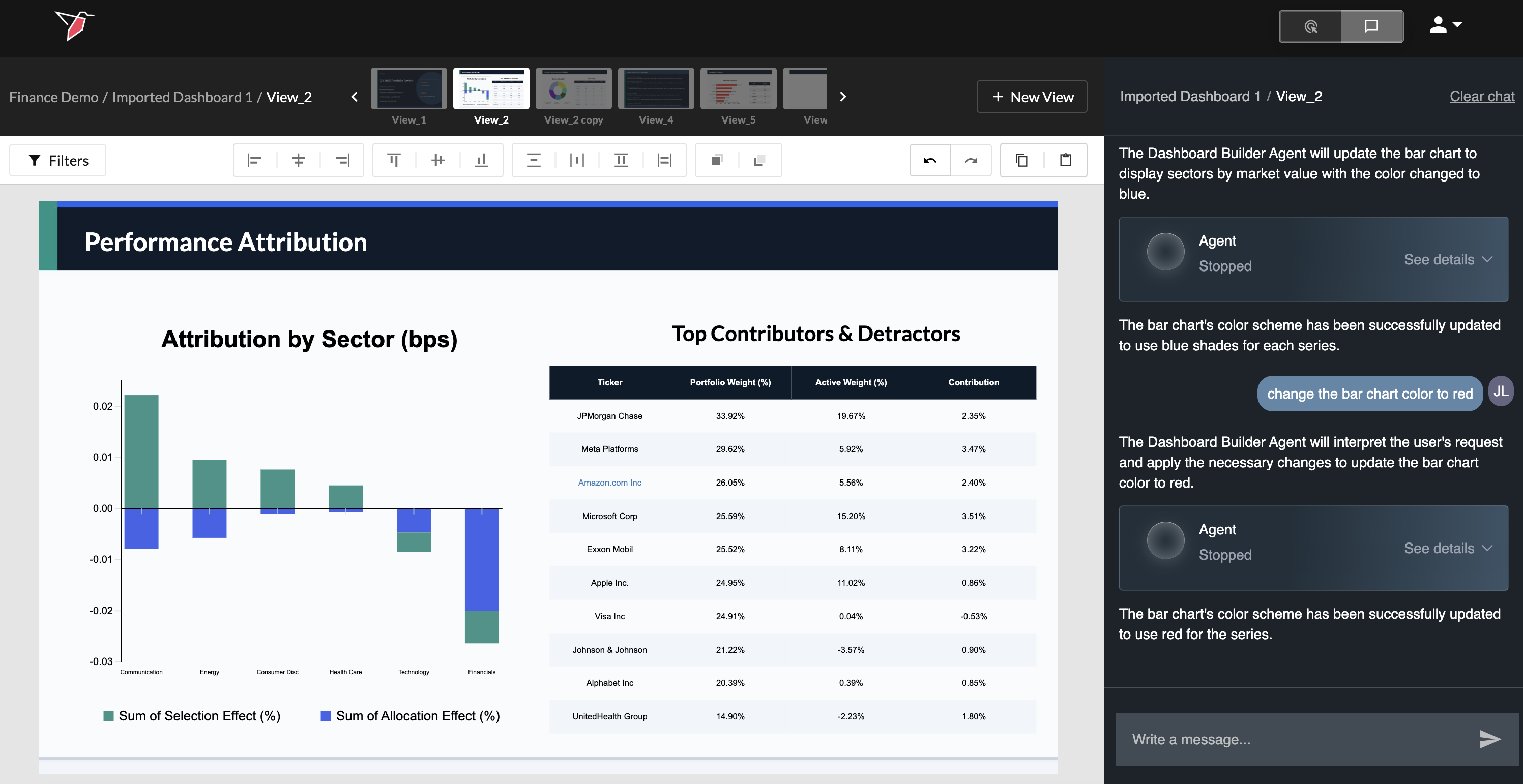
Report details matter. Different teams, clients, and executives have specific layouts, chart types, and narrative flows they rely on. The AI Report Builder gives you full control over the design — through conversation for rapid builds and through a robust point-and-click editor for full direct control — so outputs match what your audience is expecting.

  • Use natural language or a point-and-click editor to generate entire reports or individual slides, sections, charts, tables, text blocks, and images
  • Apply your brand colors, fonts, and logo — saved as a template style that applies automatically to every run
  • Design AI-powered narrative text blocks — Redbird fills in the context and commentary automatically at run time
  • Load in existing reports (PowerPoint, Excel, Word, and any other format) — AI agents will understand the structure and automatically map and wire up a live replica to your automated data prep workflow
Report Builder canvas showing a slide with multiple element types and a chat panel
Data binding panel showing field mappings from a Redbird workflow to chart elements

Every report is connected to live data workflows — automatically by AI agents

The difference between a static report and a Redbird report is AI-powered data workflow integration. Every chart, table, metric card, and text variable in your Report Builder template is linked to a live data source or workflow output — so when the automated workflow runs, every element rebuilds automatically with current data.

  • Bind visualization data to Redbird analysis outputs, connector queries, or transformation results
  • Set dynamic AI-generated text components — AI agents analyze fresh data and generate headlines and qualitative insights automatically at runtime
  • AI agents repair and remap data connections when data schemas or values change

One report template. Infinite runs. Zero reformatting.

The highest-leverage thing about the Report Builder is what happens after you build the template. Every time the underlying workflow runs, the report generates itself — same layout, same brand standards, updated data. And AI-powered replication logic lets you run the same report for different markets, teams, or time periods without creating separate templates for each.

  • Scheduled runs — report auto-populates and delivers on your defined cadence
  • Replication — define variables (region, team, time period) and run one template for every variant
  • Shared templates — publish approved templates to your team so everyone generates reports from the same structure

Reporting outputs delivered wherever your stakeholders expect them

Reports built in the AI Report Builder can be delivered downstream through the same output and delivery infrastructure as all Redbird workflows — via email, Slack, Google Drive, SharePoint, or as live web dashboards. The same report can be delivered as an email summary to your exec team and as a PowerPoint file on Google Drive to your operations team simultaneously.

Build the report with AI. Never touch it again.

Design your reports in the AI Report Builder, connect them to live data, and let Redbird handle the production every time the workflow runs.